

MEXC CFD FAQ
1. CFD Trading and Settlement
1.1 How to conduct CFD trading and settlement?
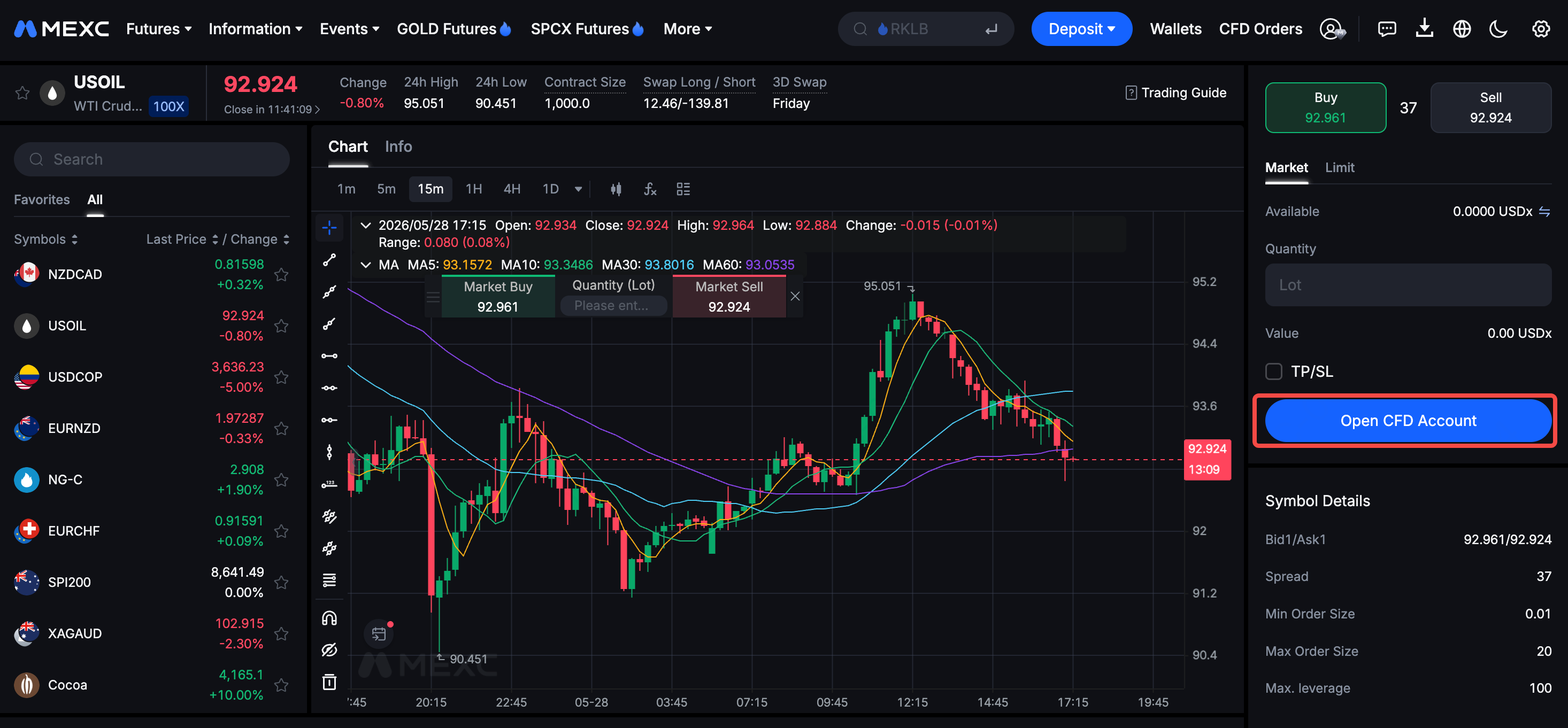
After opening a MEXC CFD account, users can transfer USDT from their Spot account to their CFD account. The system will automatically convert it to USDx at a 1:1 ratio. USDx is used solely for trade pricing and settlement. When you trade CFDs, the conversion between USDx and USD is handled automatically by the system, requiring no manual operation.
1.2 What is USDx? Can it be withdrawn directly?
USDx is not a cryptocurrency, but rather an internal accounting unit used to denominate fund balances in USD. USDx is only used for settlement within the CFD account and cannot be withdrawn directly. Before withdrawing, funds must first be transferred back to the Spot account; the system will automatically convert them back to USDT at a 1:1 ratio, and then they can be withdrawn.
2. Position Management
2.1 Does it support simultaneous long and short positions for hedging?
Yes. Users can hold long and short positions in the same trading pair simultaneously. These positions are independent and will not be automatically merged.
Through the hedging feature, users can independently open multiple positions within the same trading instrument, including long (buy) and short (sell). Since each new position is displayed as a separate row in the positions tab, you can build more complex trading strategies, such as opening a long position to profit from potential upside while holding a short position to hedge against potential losses.
2.2 Why is each of my orders visible in a separate row in the positions tab?
Unlike trading on the MEXC mainnet, trading positions in MEXC CFD are not merged. When you place an order in CFD, the system creates a new position that appears as a new row in the positions tab of the trading window. This design allows you to manage individual positions more clearly and independently.
3. Fee Structure
3.1 What is swap fee? When is it charged?
Swap fee, also known as an overnight or rollover fee, is a financing charge that applies when you hold a position overnight. If your position remains open past the daily settlement time of 23:59, the system automatically debits or credits the swap amount based on your position size in lots and the instrument's swap value.
Settlement time zone: UTC+3 during daylight saving time and UTC+2 during standard time.
Key features of the swap fee:
- Positive or negative: A negative swap value results in a debit from your account, while a positive value results in a credit to your account.
- Different for long and short positions: The same instrument has different swap values for long and short positions. Both values may be negative.
- Applicable to hedged positions: If you hold both long and short positions in the same instrument, the swap fee is calculated separately for each side. Hedging does not exempt either position from the swap fee.
How to check the swap fee:
You can find each instrument's swap type, long swap value, short swap value, and triple swap day under Info on the trading page. Swap values may change with market interest rates. Please refer to the values currently displayed on the page.
The swap fee is calculated using one of two methods, depending on the instrument category:
1) Points mode: Forex, metals, and commodities
Swap fee = Position size (lots) × Contract size × Tick size × Swap value × Chargeable days
The calculated amount is denominated in the instrument's quote currency. If the quote currency is not USD, as with USD/JPY or USD/CHF, the system converts the amount into USDx at the real-time exchange rate.
Example: You hold a 1-lot long position in XAUUSD with a contract size of 100, a tick size of 0.01, and a long swap value of -45. For one overnight holding period, the swap fee is: 1 × 100 × 0.01 × (-45) × 1 = -45 USDx
2) Currency mode: Stock indices
Swap fee = Position size (lots) × Swap value × Chargeable days
The swap value directly represents the daily amount per lot, denominated in the index's pricing currency. For indices priced in currencies other than USD, such as JP225, HK50, and GER40, the system converts the amount into USDx at the real-time exchange rate.
Example: You hold a 2-lot long position in US30 with a long swap value of -10. For one overnight holding period, the swap fee is: 2 × (-10) × 1 = -20 USDx
Triple swap day:
Forex, metals, commodities, and stock index markets are closed on weekends, but financing costs still accrue during this period. To account for these costs, the swap fee is applied at three times the daily rate on one designated day each week. This is typically Wednesday for forex and metals, and Friday for stock indices. Please check the three-day swap setting under Info for the specific instrument.
Note: Unlike the funding fee mechanism used for crypto perpetual futures, the CFD swap fee follows standard CFD market practices. If you close your position before settlement time, no swap fee applies for that day. A swap fee only applies when a position remains open past settlement time.
3.2 How are CFD trading fees calculated?
MEXC CFD provides a transparent fee structure, with rates varying depending on the trading asset. For specific fee details for each asset, please refer to the MEXC CFD Fee Schedule for more information.
4. Leverage and Risk Control
4.1 What is leverage? Can it be adjusted?
Different assets have different default leverage levels, and manual adjustment is not supported. MEXC CFD offers different leverage across various trading pairs, reaching up to 500x, which users cannot modify on their own. Before opening a position, please carefully check the contract specifications of the target product to understand the applicable leverage ratio.
4.2 When will liquidation be triggered?
When the margin level (stop out level) drops to 50%, the system will trigger liquidation. Please monitor margin changes in a timely manner and control position risks reasonably. This mechanism differs from the liquidation rules of cryptocurrency contracts, as CFD liquidation settlement uses the buy/sell price. It is recommended that users set stop-loss and take-profit levels, and carefully review used margin and risk exposure before trading.
5. Account and Platform
5.1 How to open a CFD account?
Users must first set up an account on MEXC. Once successfully activated, you will be able to access your CFD account through the MEXC platform without additional login. If you want to trade via the MT5 platform, you need to log in using your CFD (MT5) login credentials, which are different from your MEXC account (UID).
5.2 Does CFD (MT5) support sub-accounts?
No. It is recommended that users activate and use the CFD feature through their main account.
5.3 How to check the trading hours for a specific trading pair?
To view trading hours, simply select your preferred trading pair in CFD to go to its trading page. You can then view the specific trading hours for that pair on the page. Since CFD trading follows traditional financial market rules, there are fixed trading sessions and market closure schedules, which differ from the 24/7 trading of the cryptocurrency market.
5.4 What time zone does MT5 use?
The time zone displayed on MT5 is typically UTC+2, which changes to UTC+3 during Daylight Saving Time. Users should take note of these time zone differences when calculating swap fee collection times and checking trading sessions.
6. MT5 System
6.1 What are the minimum system requirements for using MT5?
To ensure optimal performance when running MetaTrader 5, your system should meet the following requirements:
- Windows: Windows 7 or higher, CPU 2.0 GHz or faster, at least 512 MB of RAM (1 GB recommended), screen resolution of 1024 x 768 or higher, and an internet speed of 56 kbps or faster.
- Mac: macOS 11.0 or higher and a Mac equipped with an Apple M1 chip.
- iOS: iOS 9.0 or higher.
- Android: Android 5.0 or higher.
6.2 How to change the display language in MT5?
To change the display language in the MT5 user terminal, simply click View, select Languages, and choose your preferred language from the list. A dialog box will appear prompting you to restart the terminal. The new language will take effect after the restart.
7. CFD Trading Risk Disclosure
It is important to note that participating in gold, forex, and stock index CFD trading involves a high level of capital risk, users should fully understand the nature of the products and potential volatility. While high leverage can improve capital efficiency, it also amplifies minor price movements. Users must monitor their margin levels in time to prevent system-triggered liquidation caused by insufficient account equity.
Furthermore, traditional financial markets are highly dependent on macro events such as interest rate decisions, non-farm payroll data, and geopolitical developments. Unlike the 24/7 trading of the crypto market, traditional financial markets close on weekends and holidays, which may result in overnight gaps at market open. Under extreme volatility, risks such as liquidity voids, widened spreads, and slippage may occur. It is strongly recommended that users set rigorous stop-loss strategies and control position risks reasonably before trading.