How to Check if a Smart Contract Is Verified on Etherscan: A Beginner’s Guide
In the rapidly evolving world of decentralized finance, a smart contract is the ultimate arbiter of truth. It is a self-executing piece of code deployed on the blockchain that controls everything in a crypto transaction, from token transfers and staking mechanisms to complex lending protocols. When you interact with a decentralized application, you are not dealing with a company or a human intermediary; you are interacting directly with a smart contract. Because the blockchain is immutable, the rules written in this contract are absolute and cannot be easily reversed or modified once deployed.
Despite this immense power, an alarming number of users routinely click “approve” without checking anything about the contract they are interacting with. Driven by the fear of missing out on the next big token launch or a lucrative yield farming opportunity, people often bypass basic security checks. They trust the slick interface of a website or the promises made in a Telegram group, forgetting that the interface is just a facade for the underlying code.
When you interact with an unverified contract, you are essentially signing a legally binding document in a language you cannot read, with terms you cannot see. You are granting permission to an opaque black box that could be programmed to drain your wallet, lock your funds forever, or silently mint infinite tokens for the creator. Without verification, there is no transparency, and without transparency, there is no security.
This guide will show you exactly how to lift the hood on any smart contract and verify what you are really signing.
Read More: What Is a Blockchain Explorer? How It Works and How to Use It
What Does “Verified” Actually Mean?
To understand smart contract verification, you must first understand the difference between bytecode and source code. When a developer writes a smart contract, they typically use a high-level, human-readable programming language like Solidity. This is the source code. It contains the logic, function names, and comments that explain what the contract is supposed to do. However, the blockchain cannot read Solidity. Before deployment, the source code must be compiled into bytecode, which is a long string of hexadecimal characters, such as 0x60806040…, that the Ethereum Virtual Machine (EVM) can execute. The blockchain only stores this raw bytecode.
What verification proves is that the published readable source code matches the exact bytecode currently running on-chain. When a developer verifies a contract, they submit their original source code and compiler settings to a block explorer like Etherscan. Etherscan then recompiles the submitted code and checks if the resulting bytecode perfectly matches the bytecode deployed at that specific address. If it is an exact match, the contract is marked as verified, and the human-readable source code is made public for anyone to inspect.
It is crucial to understand what verification does NOT prove: it does not mean the contract is safe, secure, or free from malicious intent. A verified contract simply means that the code is transparent and readable. A developer can write a perfectly verified contract that is explicitly designed to steal your funds. Verification is merely the prerequisite for an audit, not an audit itself.
However, the rule for unverified contracts is absolute: an unverified contract means you cannot audit it, period. If the source code is hidden, you have no way of knowing what the contract will do, making any interaction a blind gamble.
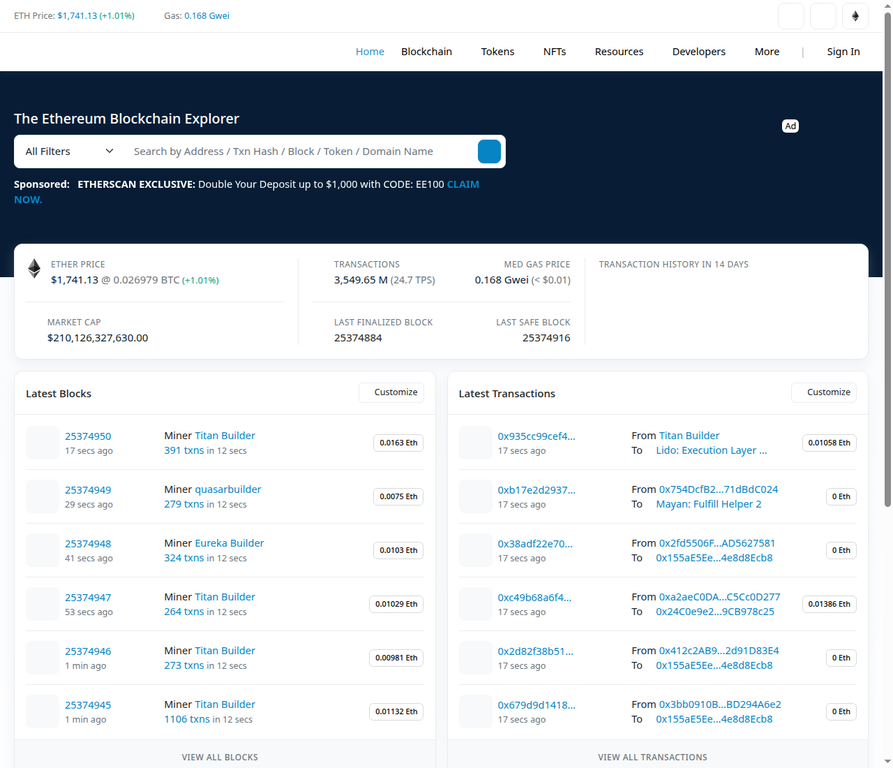 Etherscan is the main tool for checking smart contracts on Ethereum, and no account is needed.
How to Check a Verified Contract (Step by Step)
Here is the exact process. Use the USDC contract as your example because it is one of the most trusted verified contracts on Ethereum.
Step 1 – Open Etherscan and paste the contract address
To begin, navigate to the premier block explorer for the Ethereum network. Go to etherscan.io and locate the main search bar at the top or center of the homepage. Paste the USDC contract address (0xA0b86991c6218b36c1d19D4a2e9Eb0cE3606eB48) directly into this search bar to pull up the specific details for this token.
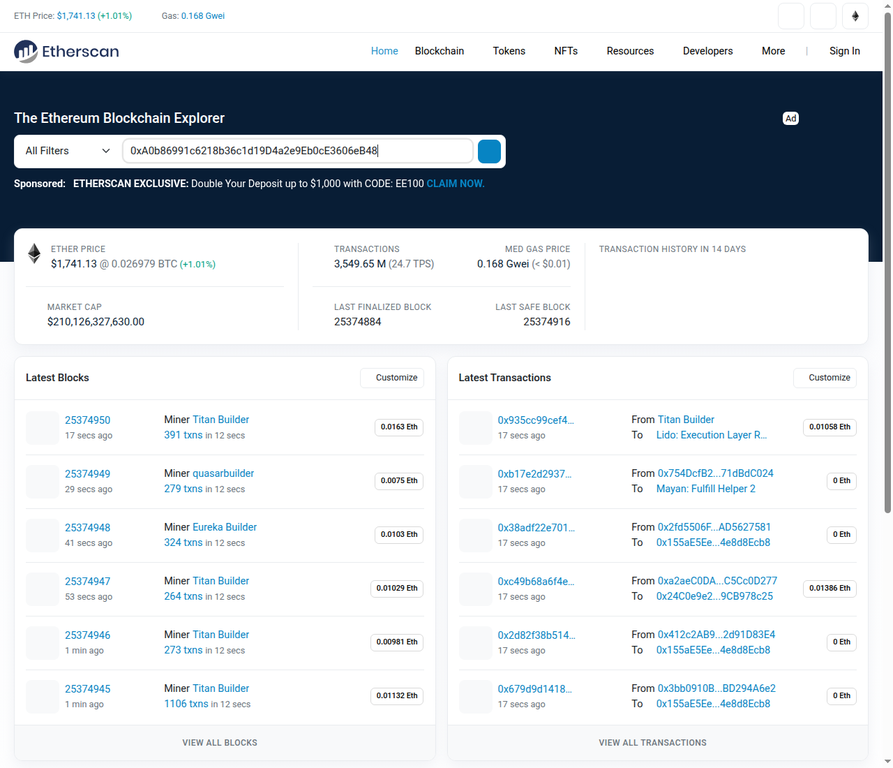 The Etherscan search bar with the USDC contract address entered.
Read More: How to Use Etherscan: Complete Beginner to Expert Guide for Ethereum Blockchain Tracking
Step 2 – Read the contract overview page
After pressing Enter, the full contract overview page will load, displaying a wealth of high-level information. You will immediately see the token name (USD Coin), the issuer details, the total supply, and the current price. Below this summary section, you will notice a crucial row of tabs, including Transactions, Token Transfers, and most importantly, the Contract tab, which serves as the gateway to the underlying code.
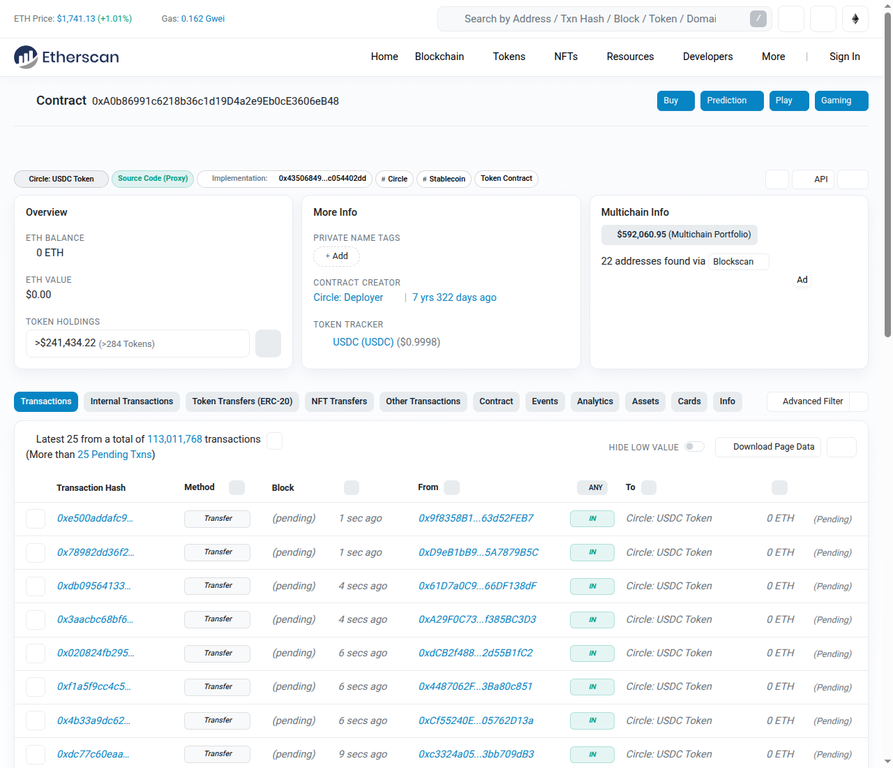 The USDC contract overview page, with the tab row including the Contract tab visible at the bottom.
Step 3 – Click the Contract tab and look for the green checkmark
The Contract tab is where all the important, technical information about the smart contract lives. Upon clicking this tab, the first and most vital indicator you should look for is the small green checkmark icon positioned right next to the word “Contract.” This checkmark is Etherscan’s visual confirmation that the contract’s source code has been successfully verified and that the readable code you are about to see genuinely matches what is running on-chain.
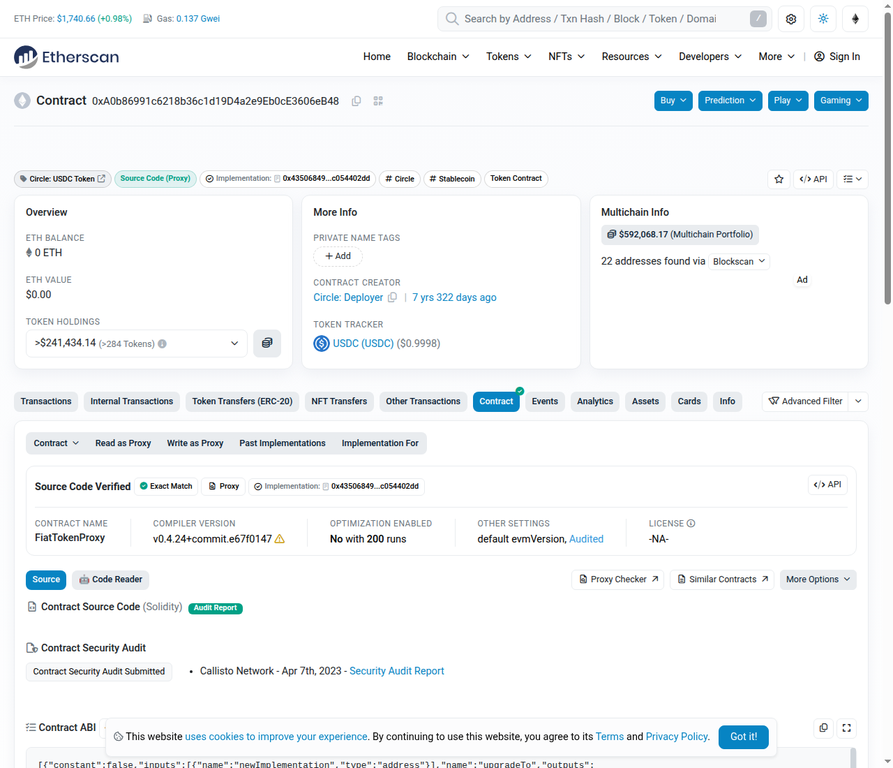 The Contract tab showing the green checkmark, which is the primary visual indicator of a verified contract.
Step 4 – Look at the verification details block
Staying within the Contract tab and specifically under the Code sub-tab, direct your attention to the top of the code area. Here, you will find a prominent verification details block that explicitly states “Contract Source Code Verified (Exact Match).” This block also provides essential technical metadata, including the specific compiler version used to build the contract and the open-source license under which the code is published. These details are critical because they allow any independent developer to reproduce the compilation and verify the result themselves.
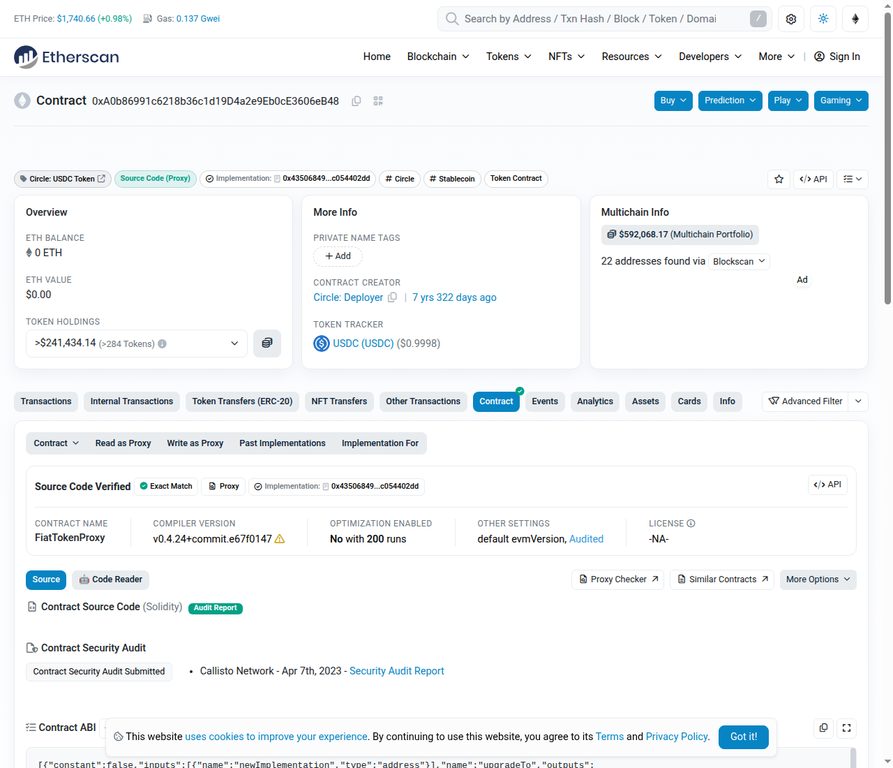 The verification details block confirming an exact match, along with the compiler version and license information.
Step 5 – Check that readable source code is present
As you scroll down slightly within the Code sub-tab, you should encounter the actual Solidity source code. Because this is a verified contract, you will see full, human-readable code complete with clear function names, developer comments, and structured logic. Instead of a meaningless wall of random hexadecimal characters, you are presented with the exact instructions the contract follows, including functions like transfer, approve, and balanceOf, written in plain Solidity that any developer can review and audit.
 Human-readable Solidity source code is a clear sign of a properly verified contract.
Step 6 – Confirm Read Contract and Write Contract tabs exist
Finally, look just below the main Contract tab to find the secondary sub-tabs. For verified contracts, you will see two critical additions: the “Read Contract” and “Write Contract” tabs (or “Read as Proxy” and “Write as Proxy” for proxy contracts like USDC). These tabs only appear when the source code is verified, and they allow anyone to interact with the contract’s functions directly through the Etherscan interface. They let you inspect exactly what the contract can do, such as checking balances, total supply, or the contract owner, without needing to write a single line of code.
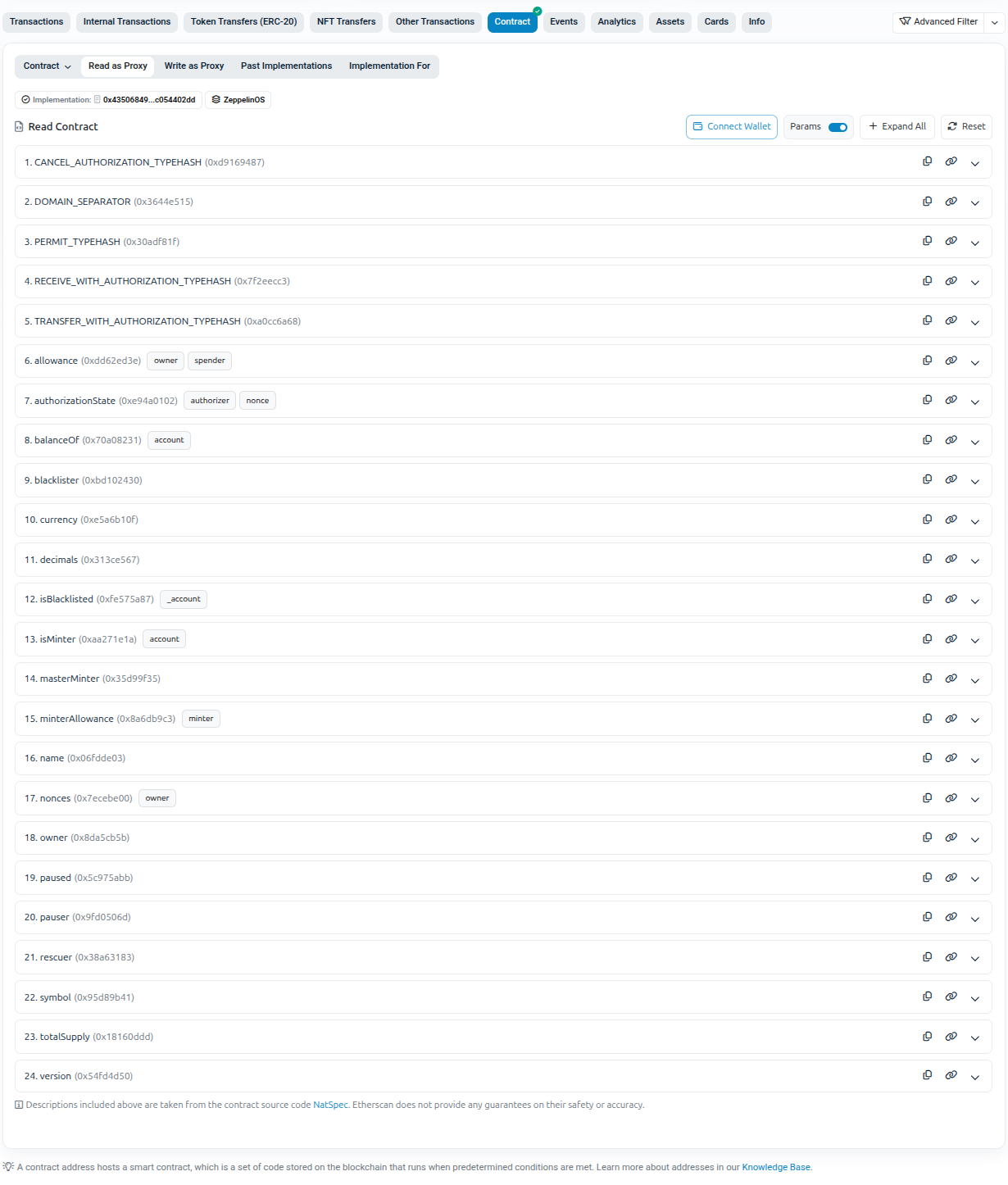 Read Contract” and “Write Contract” sub-tabs, available only on verified contracts
What an Unverified Contract Looks Like
Now look at what you see when a contract is not verified, and why these warning signs should make you stop immediately.
Step 1 – No checkmark on the Contract tab
When you navigate to an unverified contract on Etherscan, the absence of a green checkmark is the first and most obvious red flag. Clicking on the Contract tab reveals a stark difference; without that crucial visual indicator, you are immediately warned that the developer has chosen not to make their source code public for independent review. In its place, you may see a prompt reading, “Are you the contract creator? Verify and Publish your contract source code today!” This is a clear signal that the code has never been submitted for verification.
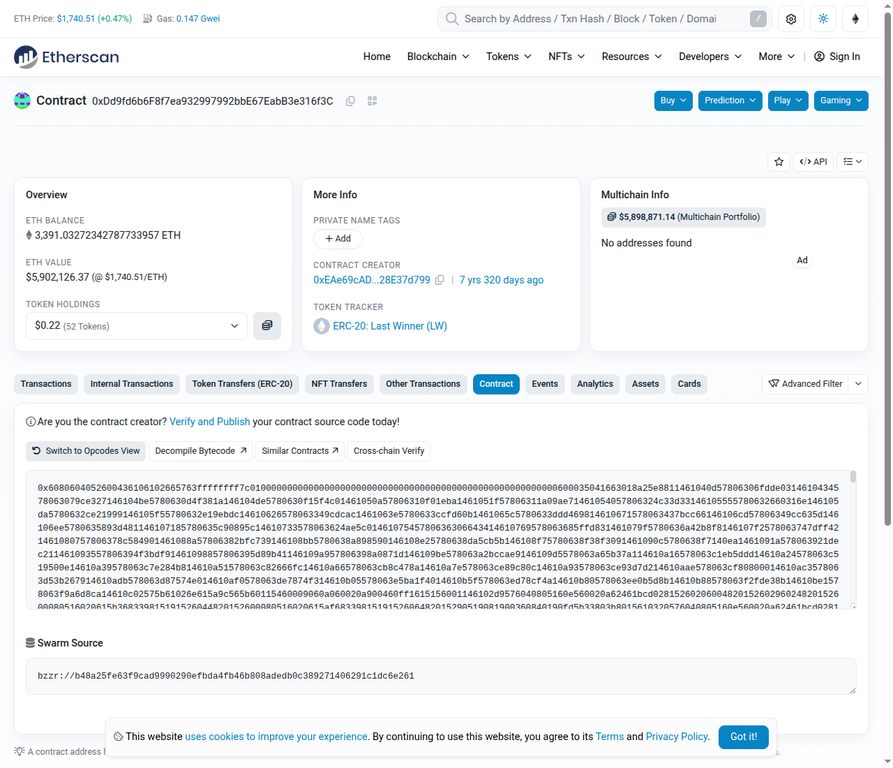 An unverified contract with no green checkmark and a prompt urging the creator to verify the source code.
Step 2 – Only raw bytecode is shown
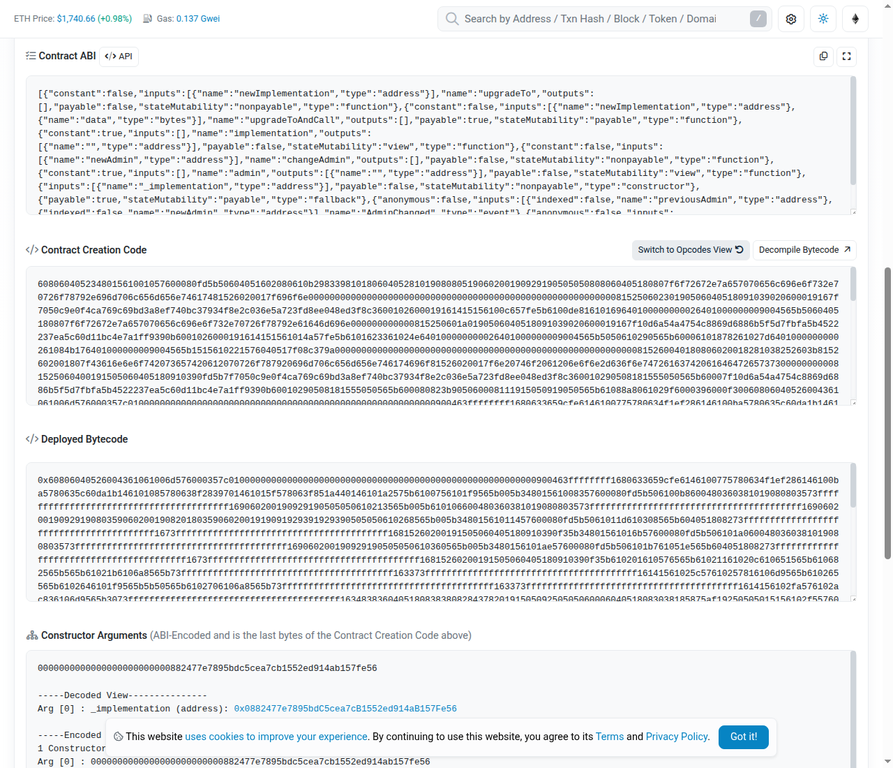
Scrolling down within the Contract tab of an unverified contract, you will not find any readable Solidity code. Instead, you are confronted with raw bytecode, an impenetrable wall of hexadecimal numbers that begins with characters like 0x6080604052… and continues for hundreds of lines. This format is entirely unreadable to humans; there are no function names, no discernible logic, and absolutely nothing that a normal person can audit to verify the contract’s true intentions. You cannot tell if this contract will transfer tokens, drain your wallet, or do something else entirely.
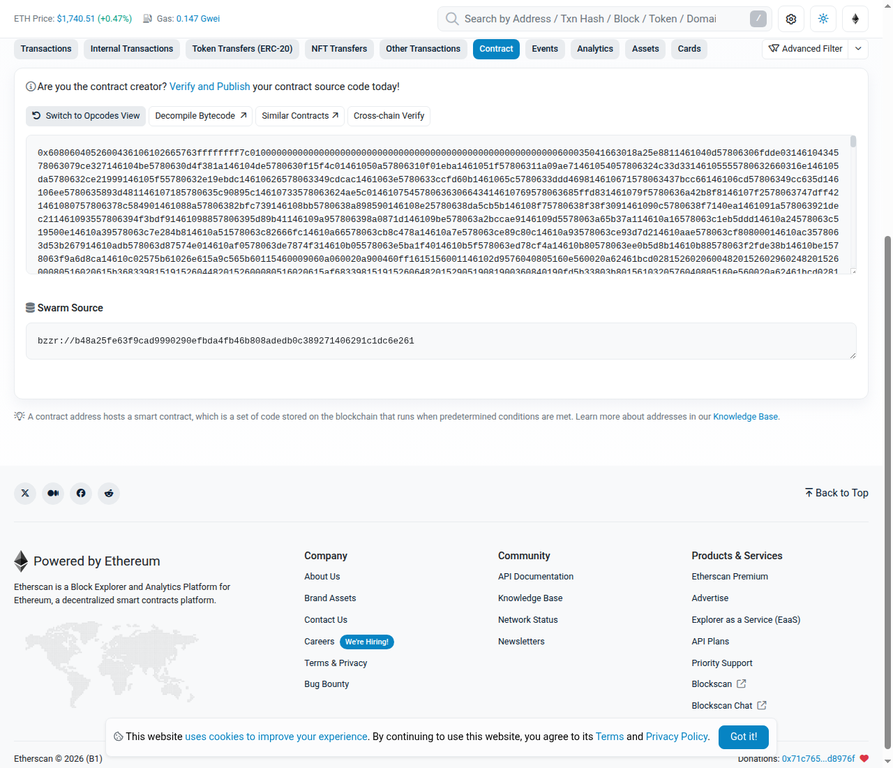 Raw bytecode is the only thing visible when a contract is unverified. There is nothing a human can audit here.
Step 3 – Read Contract and Write Contract tabs are missing
Furthermore, examining the sub-tab row inside the Contract tab reveals that only the “Code” sub-tab exists. The essential “Read Contract” and “Write Contract” tabs are completely missing. Without these tabs, you have no convenient way to see what specific functions the contract exposes, what parameters they accept, or what they return. You are completely blind to what the contract is capable of doing to your wallet if you choose to interact with it. The absence of these tabs is not a minor inconvenience; it is a fundamental barrier to any form of due diligence.
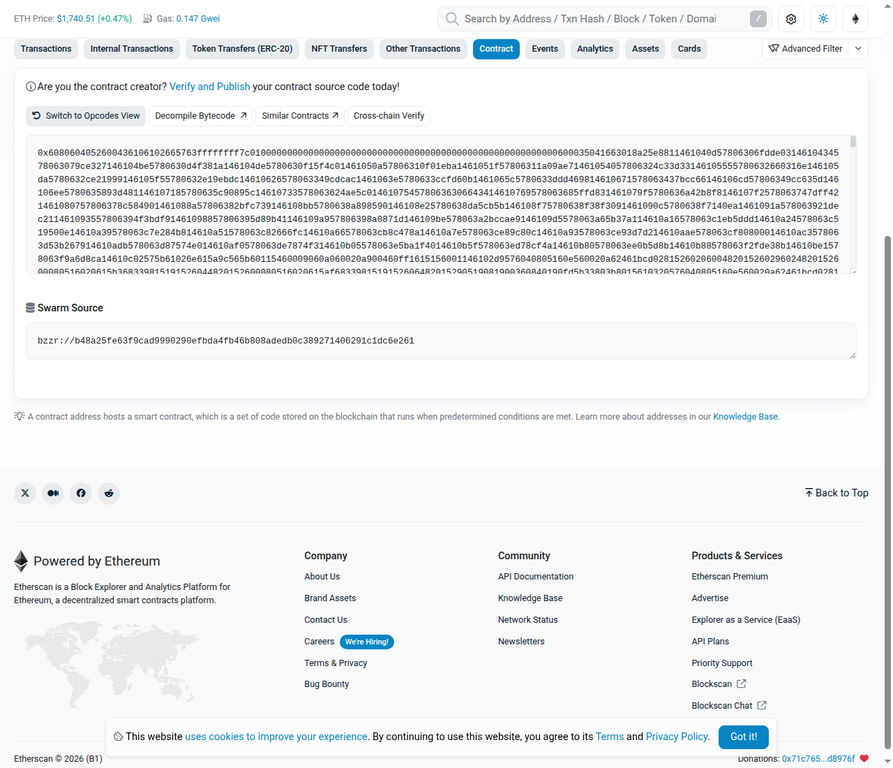 Only the “Code” sub-tab exists on an unverified contract; the “Read Contract” and “Write Contract” tabs are absent.
Verified vs Unverified: Quick Comparison
Understanding the stark differences between a verified and an unverified smart contract is essential for safely navigating the decentralized landscape. The table below highlights the key distinctions you will encounter on a block explorer, providing a quick reference guide to help you instantly recognize when a contract is transparent and when it is intentionally obscuring its underlying logic. Use this as a mental checklist every time you encounter a new contract address.
| What You See | Verified Contract | Unverified Contract |
| Contract tab icon | Green checkmark | No checkmark |
| Source code | Full readable Solidity | Raw bytecode only |
| Read Contract tab | Present | Missing |
| Write Contract tab | Present | Missing |
| Compiler details | Shown | Not shown |
| Can you audit it? | Yes | No |
| Should you interact? | Only after reading code | Avoid |
What to Do Before You Interact with Any Contract
Always get the contract address from the official project website or a trusted aggregator like CoinGecko. Never rely on contract addresses shared in Telegram groups, Discord channels, or Twitter replies, as scammers frequently post fake addresses that look legitimate but are designed to steal your funds. The official website is the only authoritative source.
Before you even consider connecting your wallet or initiating a transaction, paste the contract address into Etherscan. This simple step takes only seconds but is your first and most critical line of defense against malicious smart contracts. It costs you nothing and could save you everything.
Read More: Operational Security in Crypto: How to Protect Your Wallet and Assets
If there is no green checkmark on the Contract tab, stop immediately. An unverified contract means the developers are hiding their code, and interacting with it is an unacceptable risk, regardless of how promising the project appears or who is promoting it. No yield percentage, no matter how attractive, justifies handing control of your wallet to an opaque black box.
If it has been more than one week since the token launched and the contract is still unverified, treat it as a hard pass. Legitimate developers verify their contracts almost immediately upon deployment; a prolonged delay is a massive red flag indicating either incompetence or malicious intent. Serious projects have no reason to keep their code hidden.
Remember that verification is the minimum check, not the final check. A contract can be fully verified and still be malicious by design. Verification simply allows you to read the code; it does not guarantee that the code is safe or that the developers will not exploit hidden vulnerabilities. A verified contract with a hidden mint function, a blacklist mechanism, or an owner-only drain function is still a dangerous contract.
Read More: What Is Tokenomics and Why Does It Matter in Crypto?
You May Also Like

This Whale Just Opened a $30.9 Million XRP Long Position. What’s Coming?

Trump Cancels Housing Bill Signing Over CBDC Ban Provision, Demands Voting Legislation First
Next Crypto to Explode as Morgan Stanley’s SOL ETF Stuns at 0.14%, While Pepeto Targets 100x Before the Binance Listing Opens