

Western Union Guide 2026: All You Need To Know About Sending Money Overseas
Thinking of sending money overseas? Western Union is a go-to for many when it comes to international money transfers.
Whether you’re sending funds to family, helping out a friend abroad, or paying for overseas services, Western Union offers flexibility and convenience. It’s fast, accessible, and available almost everywhere – including right here in Singapore.
But with fees, limits, and exchange rates to consider, how do you make sure you’re getting the best deal? This guide breaks down everything you need to know about Western Union Singapore, including fees, limits, tracking and alternatives, so you can transfer money smarter.
 Stay Up To Date:
– HSBC Visa Infinite Credit Card 2026: Benefits, Fees & Lounge Access
– Best Singapore Credit Card For Overseas Spending
– Trust Bank Singapore: Credit Card & Cashback Card Review
 Table of Contents: Western Union Singapore
- What is Western Union
 4 Ways to Send Money
- Key Features
- Exchange Rate
- Transfer Fees
- Transfer Limits in Singapore
- How to Send Money with Western Union on The App
- Tracking
- How to Collect Money from Western Union
- Western Union vs Alternatives
- FAQs
What is Western Union?

Image credits: PYMNTS.com
Western Union is a global leader in money transfer services, operating in 200+ countries and territories. With options for bank transfers, cash pickups, and mobile wallet transfers, it’s a versatile platform that works for a variety of needs.
4 Ways to Send Money with Western Union Singapore
You can send money in four ways:
- 1⃣ Online: Sign up or log into Western Union’s website to send money online. Use payment options like your debit card, digital wallet, or other online payment methods.
- 2⃣ In-App: Send money with the Western Union app. Pay through the app, start a transfer online, and finish it in-store, or save your frequent recipients for quick transfers later.
- 3⃣ In-Person: Send money in person at a Western Union agent location.
- 4⃣ Online + In-Person: Start your payment online and pay in a Western Union agent location
 Related guide: Find out more about DBS Remit here
Western Union Key Features:
- Covers 200+ countries and territories
- Multiple transfer options (including PayNow, debit/credit card, and DBS FAST bank transfer)
- Fast transfers depending on the destination and method of transfer
- 24/7 availability
 Note: Standing orders and repeat transfers are not supported — each transfer must be set up manually
Money matters: What is remittance? Here’s a guide to understanding the meaning of remittance
Western Union Exchange Rate
Western Union applies a markup to the mid-market exchange rate, a.k.a the rate you’d typically find on Google or other financial platforms. This means an additional percentage fee is added to the rate you’d receive.
Here’s a look at Western Union’s exchange rates for popular currencies. We’ll be adding YouTrip to the mix as a comparison:
| Currency | YouTrip  |
Western Union |
|---|---|---|
| MYR | S$1 = 3.297 MYR | S$1 = 3.283 MYR |
| IDR | S$1 = 11,890 IDR | S$1 = 11,890 IDR |
| INR | S$1 = 62.53 INR | S$1 = 62.36 INR |
| PHP | S$1 = 42.96 PHP | S$1 = 42.76 PHP |
| USD | S$1 = 0.7358 USD | S$1 = 0.7345 USD |
| EUR | S$1 = 0.7082 EUR | S$1 = 0.7062 EUR |
*Rates taken as of 24 Dec 2024
Learn more: How to send money from Singapore to Malaysia here
Western Union Transfer Fees
Western Union’s fees depend on several factors, such as the transfer amount, payment method, and transfer destination.
Using the exchange rates above and factoring in the fees, here’s how much you’d be paying to transfer S$1,000 to your recipient’s bank account for the following currencies:`
| Currencies | YouTrip |
Western Union |
|---|---|---|
| MYR | S$1,000 = 3,292.77 MYR Fees included: S$1.28 |
S$1,000 = 3,273.15 MYR Fees included: S$3 |
| IDR | S$1,000 = 11,863,196 IDR Fees included: S$2.36 |
S$1,000 = 11,854,330 IDR Fees included: S$3 |
| INR | S$1,000 = 62,344.91 INR Fees included: S$2.96 |
S$1,000 = 62,172.92 INR Fees included: S$3 |
| PHP | S$1,000 = 42,766.25 PHP Fees included: S$4.51 |
S$1,000 = 42,631.72 PHP Fees included: S$3 |
| USD | S$1,000 = 732.78 USD Fees included: S$4.10 |
S$1,000 = 730.82 USD Fees included: S$5 |
| EUR | SS$1,000 = 705.85 EUR Fess included: S$3.31 |
S$1,000 = 702.66 EUR Fees included: S$5 |
*Rates taken as of 25 Dec 2024
Tip: Pay with PayNow or Bank Transfer for lower fees. You may get hit with higher fees when using a debit or credit card as your method of payment.
Find out: How to send money overseas with YouTrip here
Western Union Transfers Limits in Singapore
- PayNow to Bank Account: Up to S$20,000 per transfer
- Other Payment Methods: Up to S$5,000 per transfer
If you need to transfer a larger amount, you’ll have to visit a Western Union agent location in Singapore. Note that each agent sets its own transfer limit, so you’ll need to call ahead and confirm the details. However, arranging your transfer in person may incur a slightly higher fee compared to arranging your transfer online.
Discover the Best Miles Credit Card in Singapore: The Ultimate Guide
How to Send Money with Western Union on The App
- Download the Western Union app > Log in or register with your email address
- Enter your recipient’s details, the destination country & the amount you’d like to send
- Choose your preferred payout method
- Cash, direct to bank, or mobile wallet (if applicable)
- If you’re sending directly to a bank account, enter your recipient’s bank name, code & account number
- Verify your profile with your ID details > you can upload a picture of yourself with your ID details, or use Myinfo via Singpass for a faster, hassle-free verification (you’ll need a valid Singpass account for this option)
- Complete your transfer payment > track your transfer with a confirmation email
Read all about: Revolut Singapore: The Ultimate Guide To The Revolut Card, Account & Fees
Western Union Tracking
You can track your transfer online or in-app using your Money Transfer Control Number (MTCN). Simply input the number to see status updates.
The tracking feature provides detailed information on the transfer status, including when the money has been sent, is in transit, and has been received. You can also receive notifications via email or the app to stay updated in real-time.
Discover: Best Savings Account Singapore: Top Interest Rates & Bank Picks
How to Collect Money from Western Union
1⃣ Locate a Western Union agent nearby using Google Maps or the Western Union website
2⃣ Bring a valid ID such as a passport, NRIC, or driving license
3⃣ Provide the MTCN and sender details, including the sender’s full name and the expected transfer amount
4⃣ Verify your identity with the agent if required. Some locations may ask additional security questions.
5⃣ Receive your cash: Funds are usually available within minutes, though times may vary depending on the country, transfer method, and agent location.
For added convenience, some Western Union locations allow scheduled pickups or partial withdrawals. Always double-check the transfer details and keep your MTCN on hand.
Here’s everything you need to know about the HSBC Everyday Global Account (HSBC EGA) Singapore
Alternative Options: Send Money Overseas with The Best Rates via YouTrip
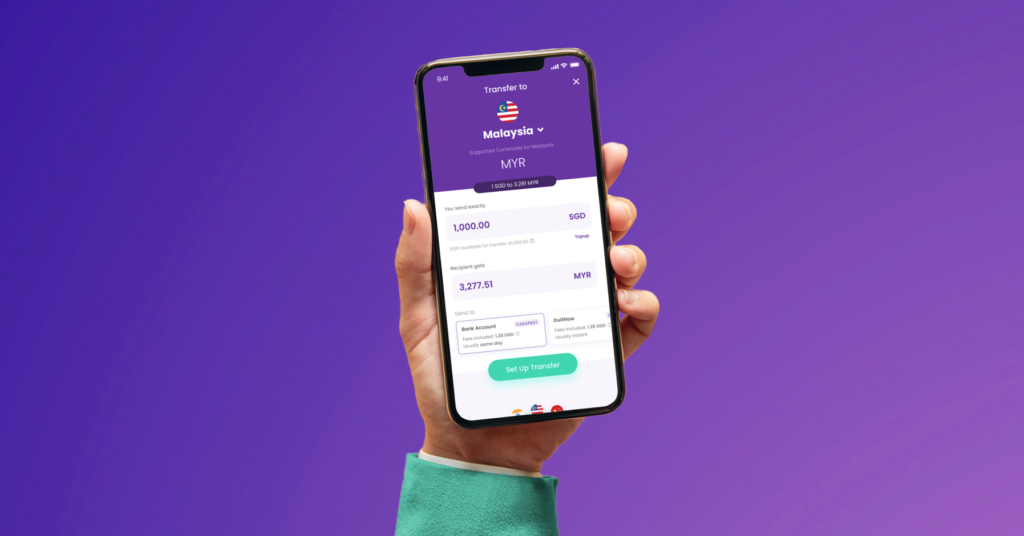
Send money overseas to 40+ countries with the best rates all day and no hidden fees with YouTrip. Experience same-day or even instant transfers for popular currencies with Duitnow, GCash, and UPI — with no cut-off timings anytime, any day.
Here’s a six-step guide on how to send money overseas with YouTrip:
- Sign up for YouTrip
 Don’t have an account yet? Sign up now and use the promo code<YTBLOG5> for free S$5!
 - Top up your YouTrip wallet with a Linked Bank Account (eGIRO) or PayNow to ensure your SGD wallet has sufficient funds
- Click ‘Transfer’ > ‘Transfer Overseas’ > Select the desired currency you wish to transfer
- Enter the amount you want to transfer in SGD > Choose your preferred transfer method based on the destination you’re transferring to:
· Bank Account
· DuitNow
· Gcash
· UPI - Tap ‘Set Up Transfer’ > ‘+ Add Recipient’ and enter the required details
- Slide to transfer and voilà! Your recipient will receive the money in their local currency, hassle-free!
All You Need To Know About Sending Money Overseas: Check out our guide to the best multi-currency cards for the biggest savings here
Western Union FAQs:
Expect S$3–$5 depending on payment and destination.
S$20,000 via PayNow, S$5,000 via other methods.
Yes, use the MTCN online or in the app.
Visit an agent, bring ID, and provide the MTCN.
Yes, use Google Maps or Western Union’s locator tool.
It includes a markup. Always compare rates with competitors like YouTrip for more competitive exchange rates.
Save More on Your Overseas Transfers with YouTrip
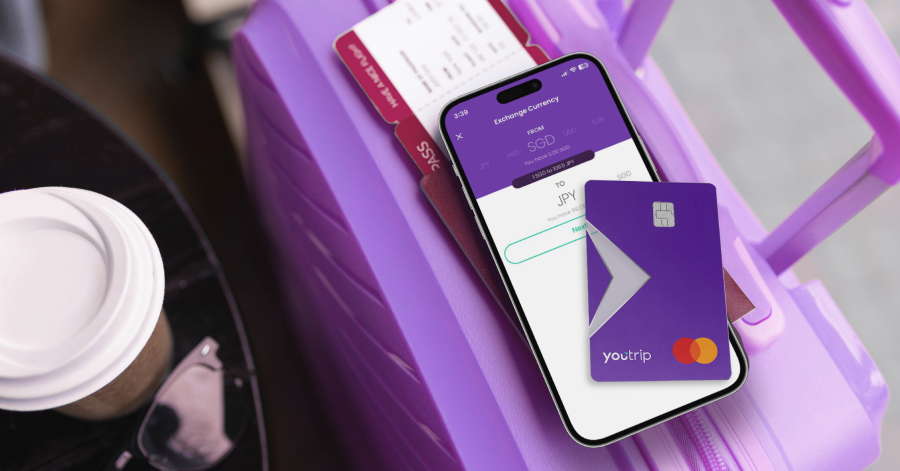
Sending money overseas has never been easier, faster, or more affordable. With YouTrip, you’re in control of every aspect of your transfer — from getting the best exchange rates to low transfer fees.
For more great tips and articles like this, join our Telegram (@YouTripSG) and subscribe to our free weekly newsletter here or down below. And while you’re at it, why not join the conversation with thousands of #YouTroopers in our very own Community Telegram Group @YouTripSquad? Get tips and tricks for everything YouTrip including exclusive invites to exciting events and experiences, & be part of the #YouTripSquad!
Bon voyage!
Related Articles
Overseas Transfers: Send Money Overseas With The Best Rates
Money Changer Near Me: 14 Best Money Changers In Singapore
CashChanger.co Vs YouTrip: Where To Get The Best Exchange Rate In Singapore?


The post Western Union Guide 2026: All You Need To Know About Sending Money Overseas appeared first on YouTrip Singapore.
You May Also Like

USD/CHF Holds Steady: Critical Fed and SNB Policy Decisions Loom Over Currency Markets
WLD Price Prediction: Targets $0.55-$0.62 by Mid-April as Technical Indicators Show Mixed Signals

