Phantom Flow Review: Is This Worth It?
Active traders crave clean signals, and this Phantom Flow Review digs into one of the most talked-about TradingView indicators on the market today. Phantom Flow promises real-time buy/sell calls, smart money structure detection, and a one-time payment model that skips monthly subscriptions. Below, I unpack the modules, pricing, mobile experience, security, and overall user experience to help you decide.
What is Phantom Flow?
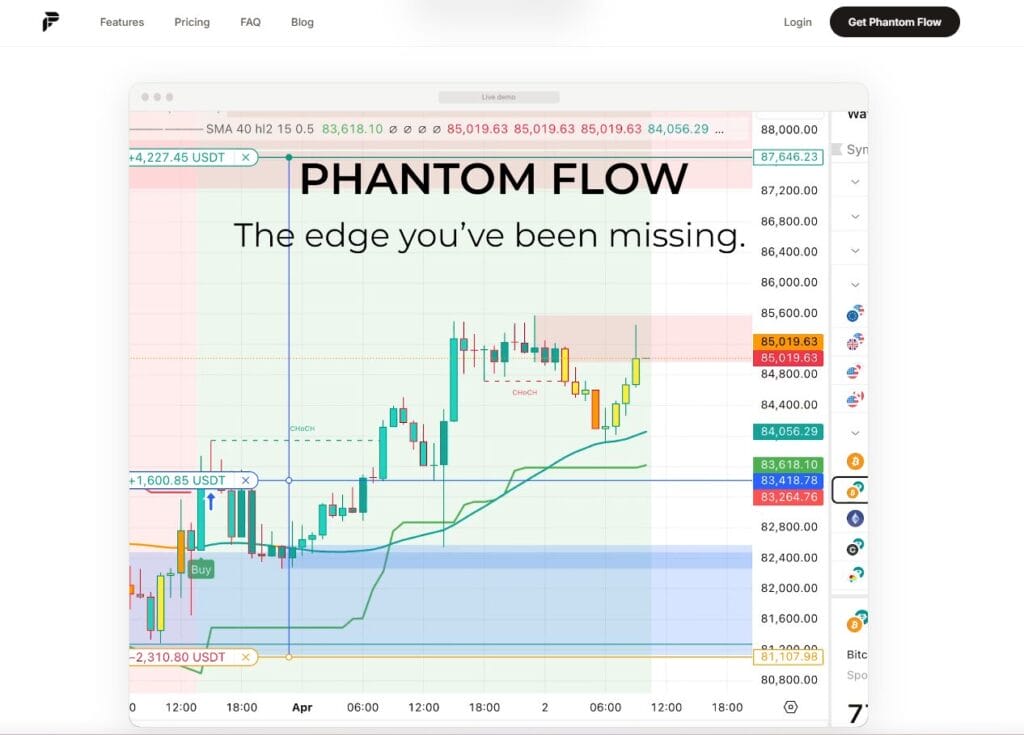
Phantom Flow is a premium TradingView indicator built for traders who want professional-grade chart signals without piecing together five different scripts. It runs on Pine Script v6 and bundles trend detection, Smart Money Concepts (SMC) structure mapping, and a momentum oscillator into a single overlay. The product is sold by a team based at getphantomflow.com and has built a customer base of over 1,000 traders. The pitch is simple: skip the trial-and-error phase and trade with institutional-style clarity from day one. Unlike most competitors, Phantom Flow uses a one-time license rather than a recurring subscription, which makes the long-term math attractive for traders who plan to use it for years.
 Phantom Flow Review
Phantom Flow Review: Features and Products
Phantom Flow ships as a layered toolkit. Here is what you get:
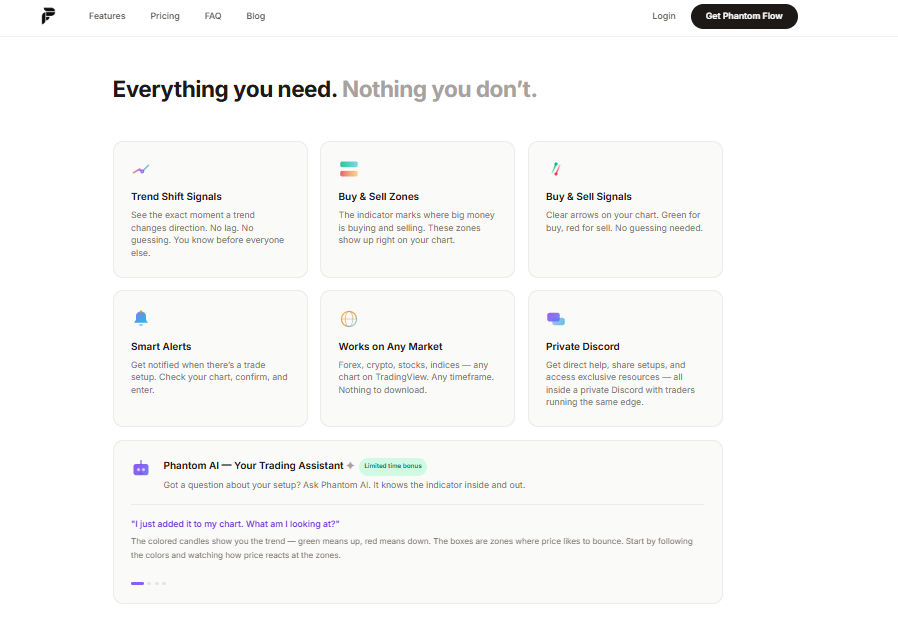
- Buy/Sell signal engine that auto-generates entry and exit signals on any chart and timeframe, removing guesswork and helping you act decisively when momentum confirms the setup
- Smart Money Concepts module with Break of Structure (BOS), Change of Character (CHoCH), and swing point labels (HH, HL, LH, LL) so you can read institutional flow without manually drawing levels
- Order Blocks detection across both swing and internal structure, with automatic mitigation tracking that turns invalidated zones grey once price closes through them so the chart stays clean
- Fair Value Gaps (FVGs) tracked through their full lifecycle from formation to fill, letting you spot price imbalances that often act as magnets for short-term retracements
- Equal Highs / Equal Lows (EQH / EQL) for liquidity pool identification, helping you anticipate where stop hunts and sweeps are likely to occur before institutional reversals
- Premium/Discount zones that map the top and bottom of the recent range so you can decide whether current price favours long entries or short setups based on objective range context
- Phantom Oscillator, a moving-average deviation momentum tool with built-in buy and sell signals that confirms when price is over-extended and ready for a mean-reversion move
- No-repaint mode so signals do not shift after they print, which means your backtest results match real-time performance and you can trust historical screenshots when reviewing setups
- Multi-market support across forex, crypto, indices, futures, and stocks, with the same logic applying on intraday scalping charts as it does on weekly swing setups
- Phantom Flow Pro add-on with Phantom Power Levels, automatic bounce zones, composite alerts, and a live trading dashboard for users who want to push the toolkit further
- Configurable alerts through TradingView’s native alert system, with mobile push notifications that fire on Buy and Sell signal events, structure shifts, and other configurable triggers you select
- Invite-only TradingView access delivered after purchase, which protects the source code from public copying and keeps the customer base limited to verified buyers only
 Phantom Flow Review
Phantom Flow Review: Pricing
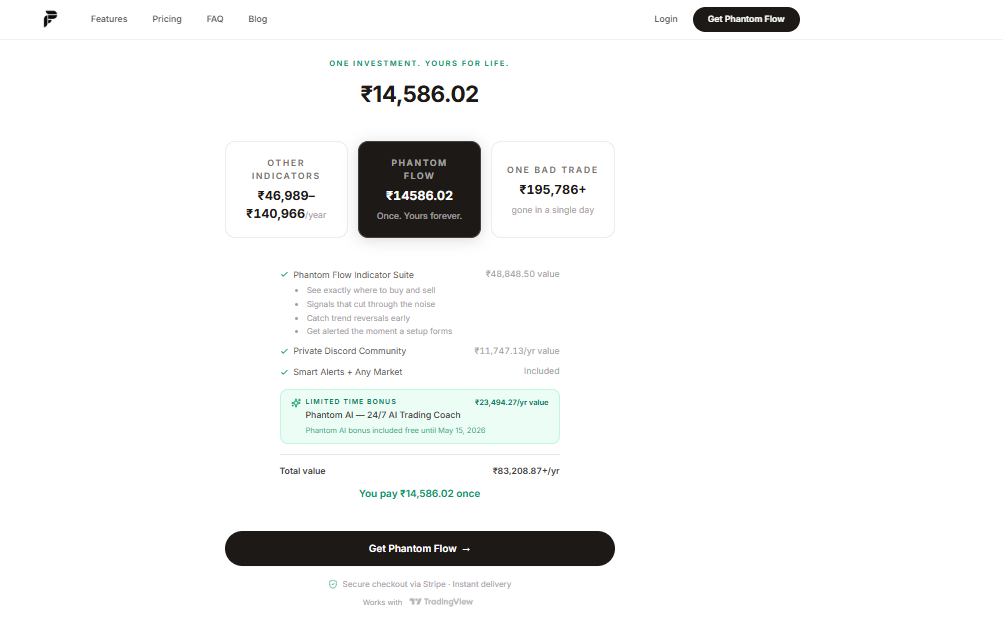
Phantom Flow uses a transparent one-payment model that contrasts sharply with the subscription-heavy norm in this category.
The lifetime license model means you avoid the $300 to $600 per year that competing indicator subscriptions can cost over time, which is the strongest pricing argument in the product’s favour.
 Phantom Flow Review
Phantom Flow Review: Mobile App
Phantom Flow does not ship its own standalone mobile app. It runs inside the official TradingView mobile apps for iOS and Android, which is the standard delivery model for any TradingView Pine Script. After purchase, the indicator is added to your TradingView account on an invite-only basis, so it appears automatically across web, desktop, and mobile once you log in.
On a phone, every Phantom Flow visual element renders the same way it does on desktop: BOS and CHoCH labels, order block boxes, FVG zones, the dashboard table, and the buy/sell arrows. Alerts trigger as standard TradingView push notifications, so you can monitor setups while away from your trading desk. There is no extra app to install and no parity gap between desktop and mobile output.
Phantom Flow Review: Security
A few security and trust factors are worth flagging. The Pine Script source is marked as proprietary with a personal-use license, and the developer explicitly prohibits unauthorized redistribution or resale. Access is invite-only on TradingView, which prevents casual code leaks. Because Phantom Flow runs entirely inside the TradingView sandbox, there is no API key, wallet connection, or trading account credential involved at any point.
Your funds and broker logins are never exposed to the indicator. Buyers should confirm they are on the correct domain (getphantomflow.com) since at least one similarly named company operates separately and serves a different platform (ATAS). Reading the refund policy carefully before purchase is also wise, especially around platform compatibility, which has been a recurring friction point in public reviews.
Phantom Flow Review: UI and UX
The design language leans into an institutional dark-theme aesthetic that traders who use ICT or SMC frameworks will instantly recognize. Order blocks render as two-layer boxes with a semi-transparent outer band and a tighter inner highlight, which keeps the chart readable even when multiple zones are active. BOS labels print in standard structure colors, while CHoCH events get a gold dashed treatment to mark regime shifts visually.
A compact dashboard sits in the top-right corner and displays the current structural direction, active order block count, open FVG count, the last confirmed swing high and low, and current sweep status. Configuration is handled through TradingView’s native settings panel, with toggles for every visual element, theme switches between dark, light, and auto, and tunable sensitivity parameters for swing pivots and BOS confirmation thresholds. The result is a clean, professional interface that does not overwhelm new users.
 Phantom Flow Review
Phantom Flow Review: Setup and Installation
Getting Phantom Flow onto your charts is straightforward. Once you complete checkout, the team grants invite access to your TradingView username, and the indicator appears under your “Invite-only scripts” tab in the indicator browser. From there you click to add it, and the script loads onto whatever chart you have open. New users typically configure three things first: alert conditions for buy and sell signals, sensitivity for BOS confirmation on their preferred timeframe, and visual toggles for order blocks and FVGs. The site provides a step-by-step setup guide that walks through alert configuration and parameter tuning.
Phantom Flow Review: Conclusion
Phantom Flow earns a place worth considering for traders who want institutional-style signals without the monthly subscription fatigue that defines most TradingView indicators. The one-time $149 price tag, the three integrated modules covering trend, structure, and momentum, and the no-repaint claim form a credible value proposition for both swing traders and day traders working across forex, crypto, indices, and stocks.
The Pro tier extends the toolkit with composite alerts and a live dashboard for users who want a deeper edge. That said, results depend on disciplined backtesting and combining the indicator with sound risk management. No script replaces a trading plan. If you already use TradingView and prefer owning your tools outright, Phantom Flow is a reasonable, transparent investment that should pay for itself with a few well-executed setups.
Is Phantom Flow a one-time purchase or a subscription?
Phantom Flow is sold as a one-time payment of $149 with lifetime access. There is no recurring subscription for the standard tier.
Does it repaint signals?
No. The product is marketed with a no-repaint design, meaning signals are confirmed on close and do not retroactively shift on the chart.
Do I need a paid TradingView plan?
A free TradingView account works for getting started, but most active traders use Essential or Plus for multi-chart layouts and additional alerts.


You May Also Like

How High Can Hedera (HBAR) Price Go This New Week

Oscars shut out AI-generated actors